Trends
Several tags in one view, separate axes, cursor readout and saved views.
InTouch historical (LGH) data in the browser: trends and reports, ready to print. Direct reading into Excel and CSV file generation.
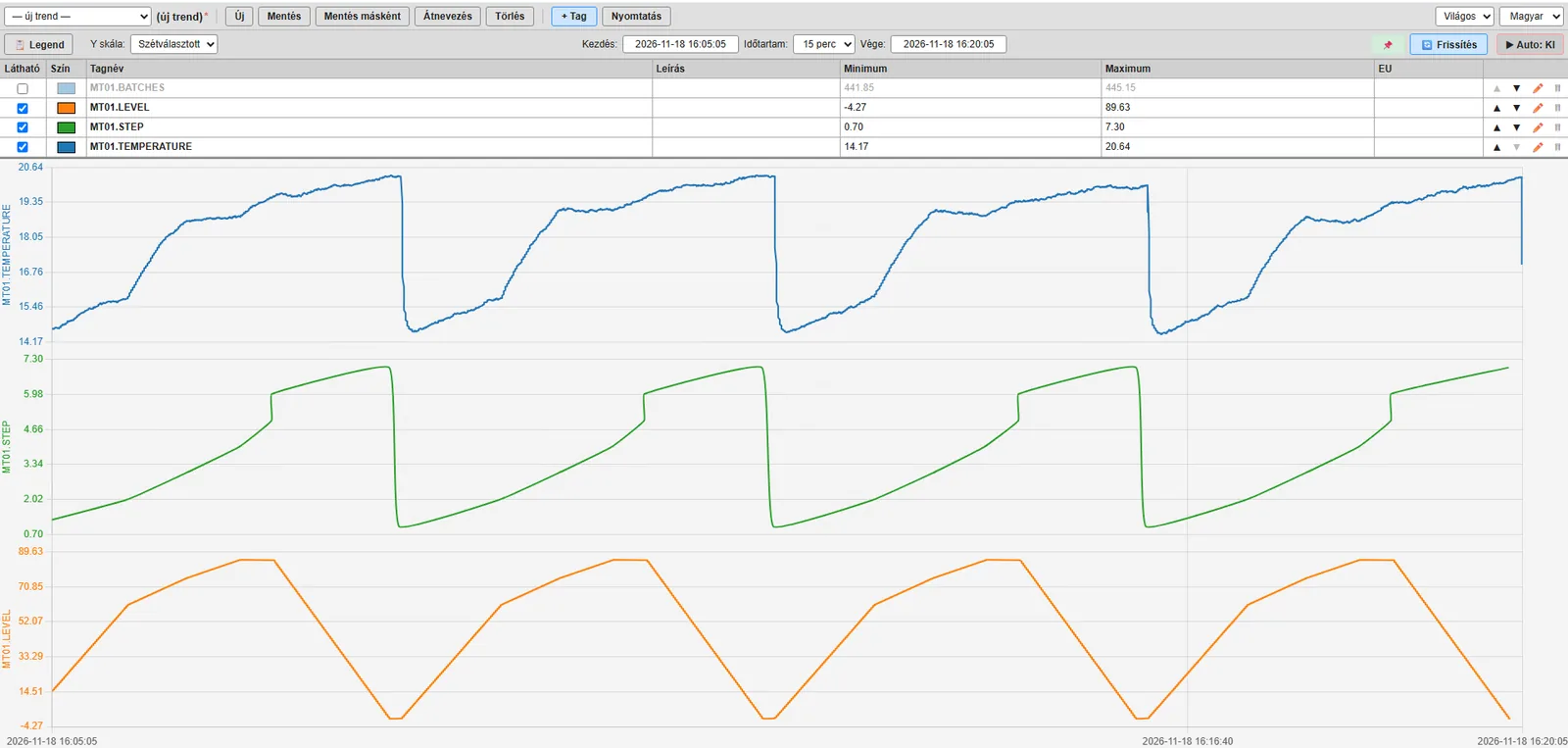
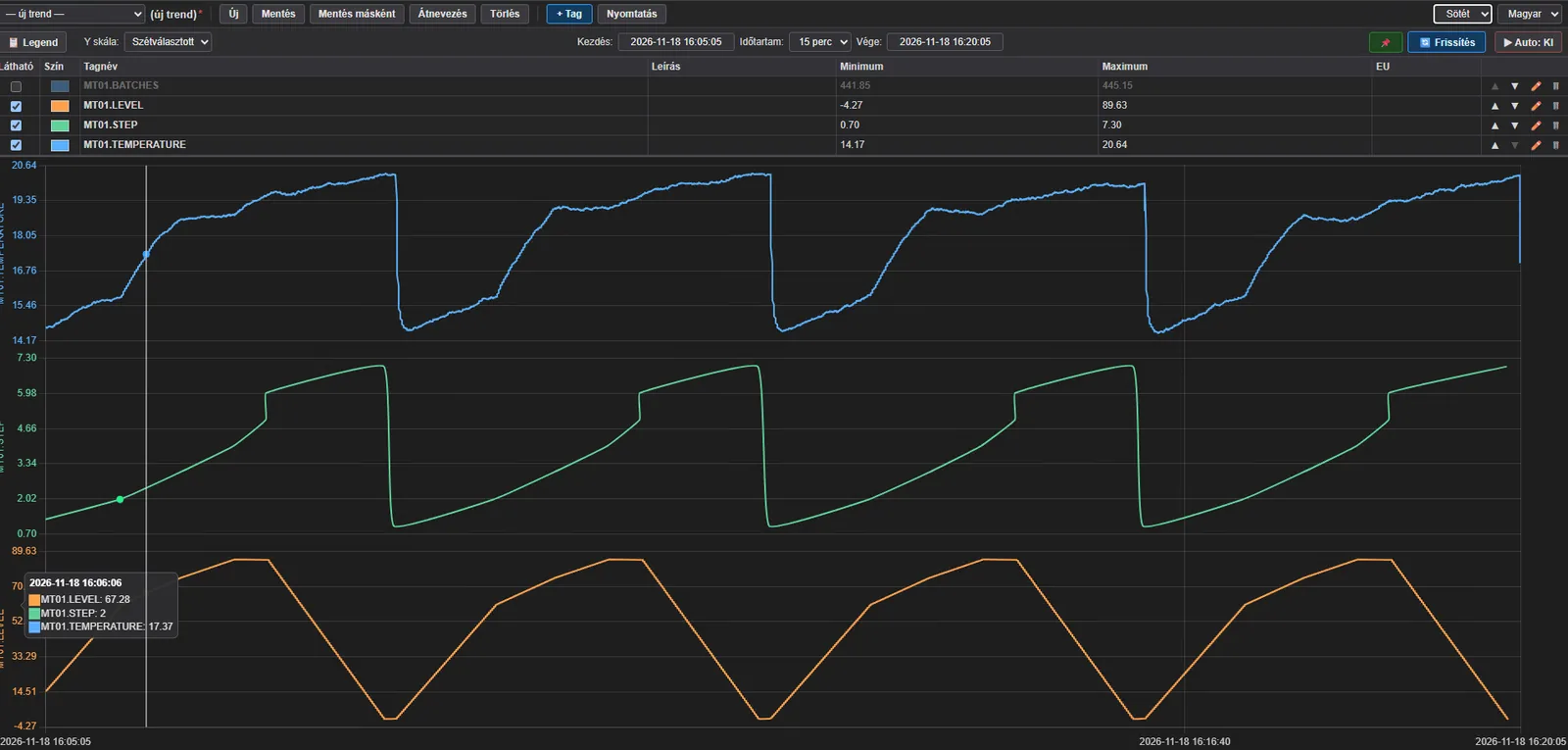
One of the biggest problems for InTouch users is showing historical files on modern trends – even in a web client – processing them in reports and passing them on to other systems. InTouch Open LGH History solves this: data goes straight from the LGH file to where it is needed.
Several tags in one view, separate axes, cursor readout and saved views.
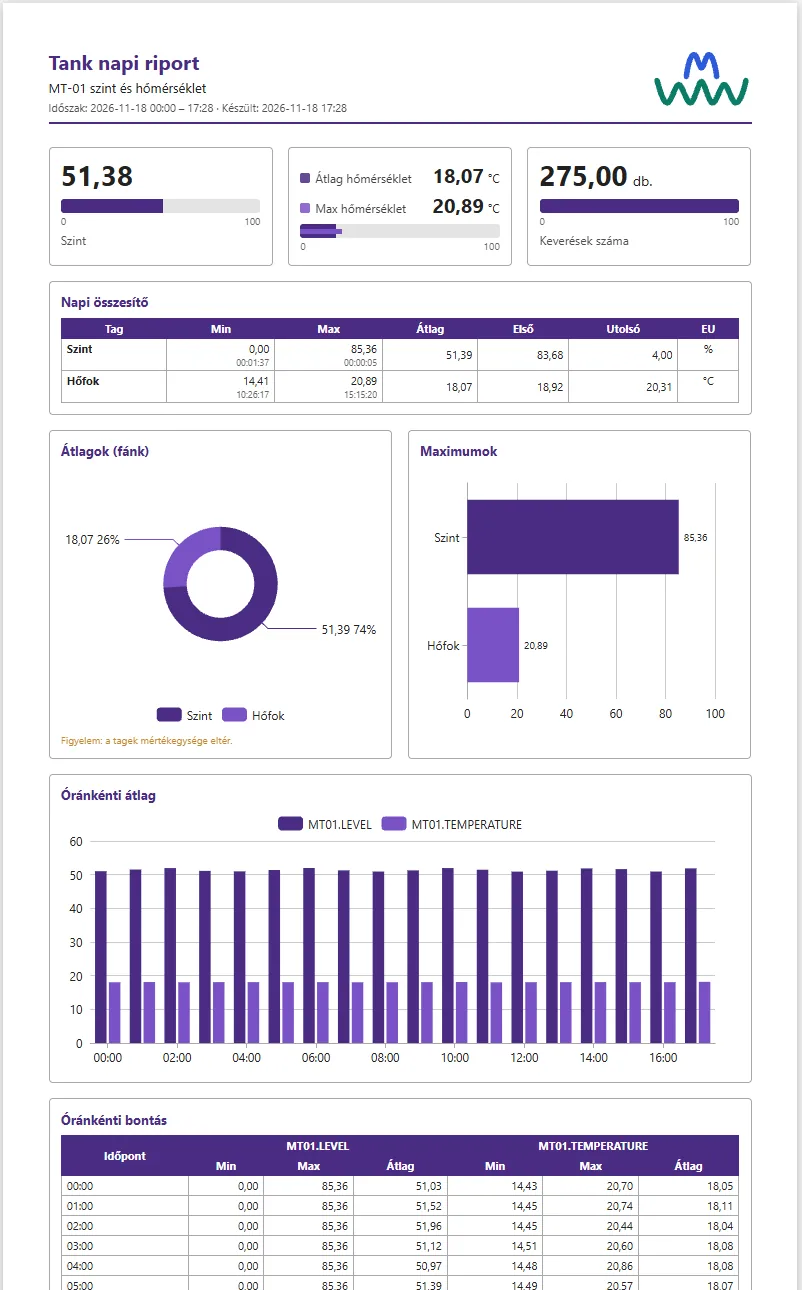
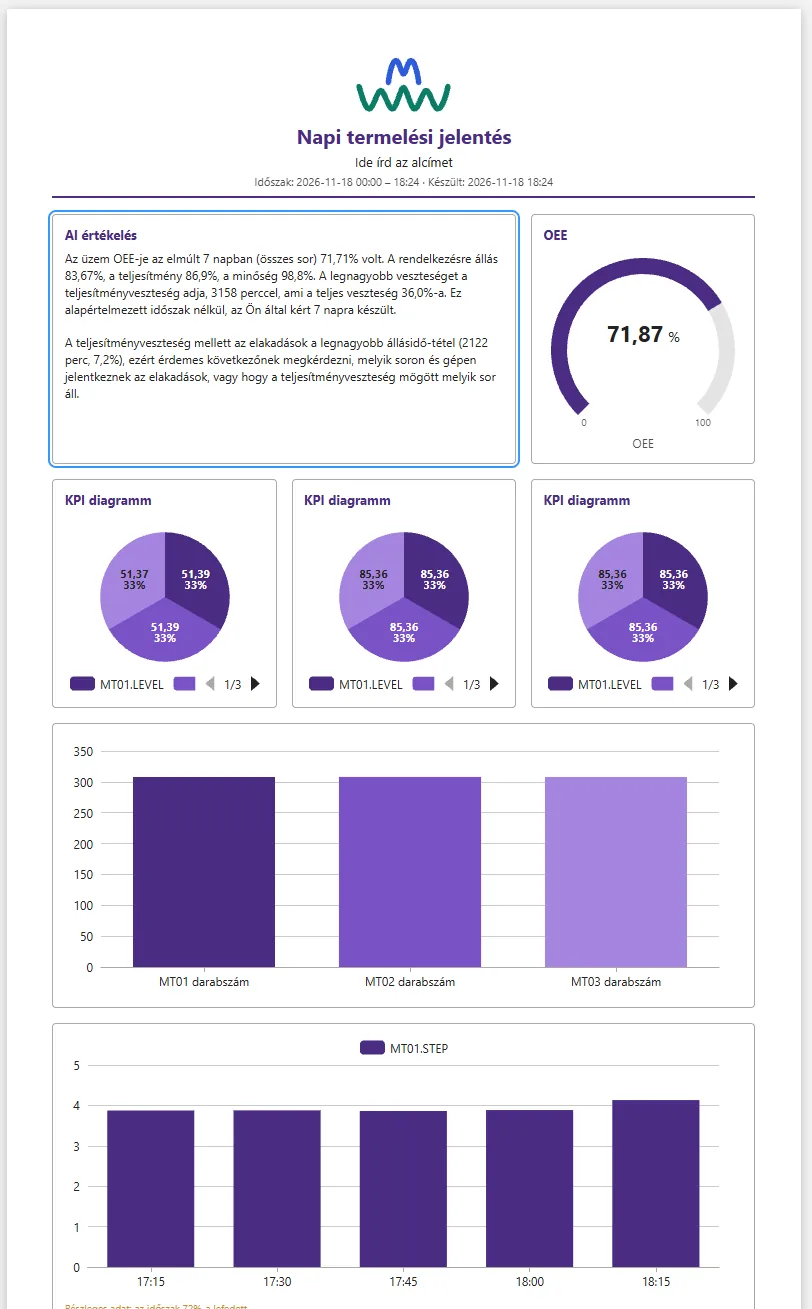
Daily and periodic reports with minimum, maximum and average values – tank, production or custom templates.
Trends and reports are also available in a printable form.
The trend client can be embedded directly in InTouch, in both native and HTML mode – or used on its own in a browser.
Readable by anything, e.g. Grafana. Both current and aggregated data can be queried.
A simple command-line tool that saves the selected data to a CSV file.
Data appears directly in Excel, without CSV export and import.
One server, many clients: the data can be used from several places at once.
Write a few lines about your system, and we'll show you how it would work with your data.
Ask about your production data in plain words – answers come as text and charts. Customisable, with any language model, cloud or on-premises.
Details → InTouch · OMIOMI applications and web widgets: bar, pie and donut charts and simple trends, built on native Industrial Graphics and web widgets.
Details →